


Project Online and Project Server 2013 offers one of the best solutions for timesheeting when it comes to tracking time spend in projects. However, I often get the question if it is possible to track the time directly from within Outlook. In general, Project Online/Server 2013 supports an Exchange integration to the task lists, but not to track your time spend time phased.
Having a timesheet from within Outlook would allow people, like me, to remember what they did at each day of the week or month. For that reason, I want to share a little work-around that allowed me to timesheet from within my Outlook 2016 client.
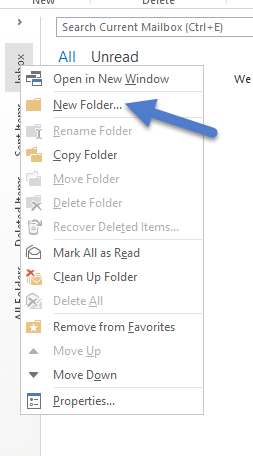
- Right click on your Outlook inbox and “Create a new folder”
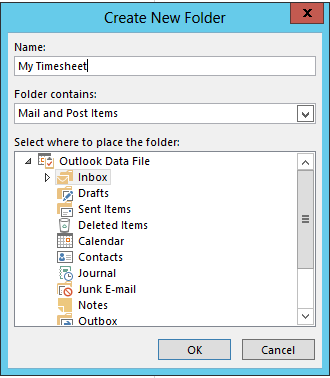
2. Name it “My Timesheet”
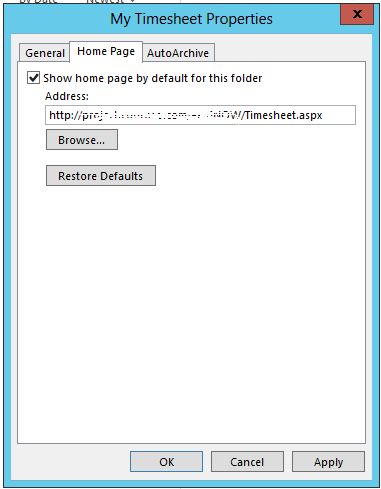
3. Add the link to your Project Online/Project Server 2013 timesheet page (copy/paste)
4. If you are working on premise, you should now have direct acces. If working with Project Online, you might need to login with your O365 credentials depending on the internal security setup

These 4 steps worked for me. Let me know if it didn’t work for you.